Diagrams that
stay yours.
Edit with Claude Code or Codex. Review every change.
Keep drawing, right where you are.
A small request.
A considered change.
You already arranged the boxes. Added the note. Found the right words. Your next edit should build on that work.
Excalidraw Toolkit lets Claude Code and Codex inspect a saved diagram and change the elements you ask for. Recolor a service, rename a label, or extend an architecture. Get an edited copy, before-and-after previews, and a record of what changed.
“Make the API stand out.
Keep the rest of my diagram.”
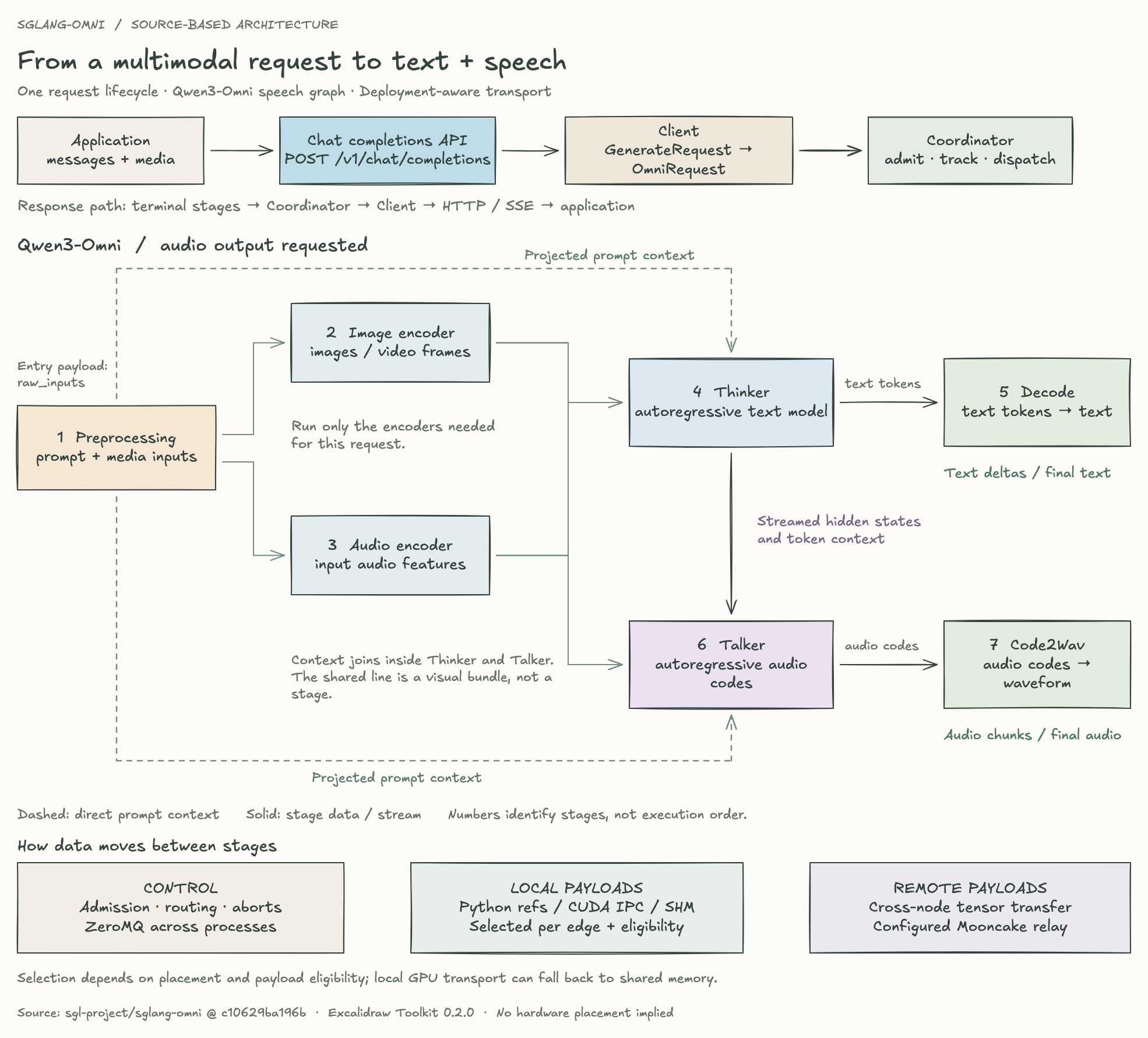
A real SGLang-Omni architecture, edited with the toolkit. Switch views or download the native file to keep exploring.Supported operations
Your input stays intact. The result is a separate native file.
Unrelated labels, notes, image assets, and metadata stay with the drawing.
Repeat the same request safely. A verified retry reuses its result.
From a request
to a file you can keep.
The agent does the work. You can see what changed.
Click a change to find it on the canvas. Compare it with the original, then keep drawing with Excalidraw’s native tools. Export a PNG for sharing or save an editable file to reopen here.
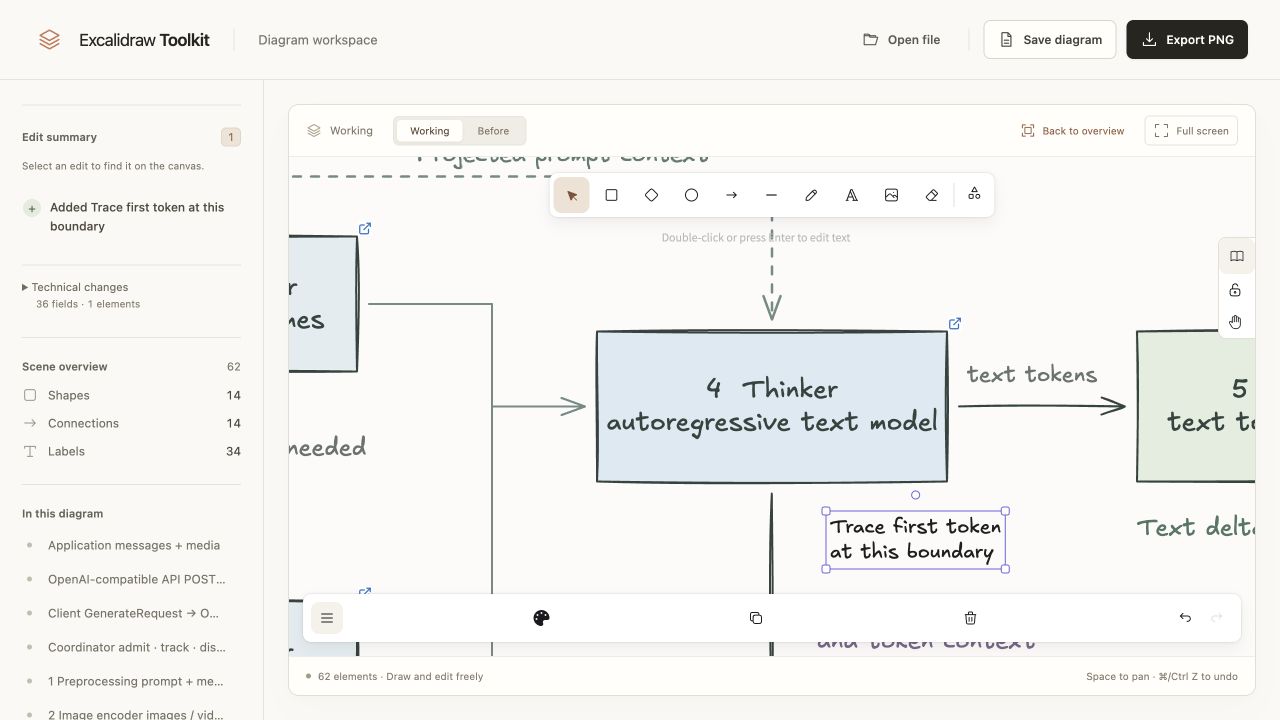
- Inspect
The agent reads element IDs, the current file, and supported edits.
- Edit
The toolkit applies the request and checks protected values and bindings.
- Review
Open the previews, inspect the changes, and take the native file with you.
Draw in Working, inspect the preserved Before, and accept or discard an Agent proposal. Requests run in your coding agent; an in-page agent conversation is not shipped. The film uses real captures, with camera movement and transitions added for pacing.
A diagram with
a reason for every line.
Let your agent investigate the code. Keep the evidence close to the drawing.
Associate nodes and relationships with inspected source, exact revisions, and explicit unknowns. Compare a code change in readable before-and-after views. When the source moves on, refresh against the accepted baseline while preserving independent manual edits.
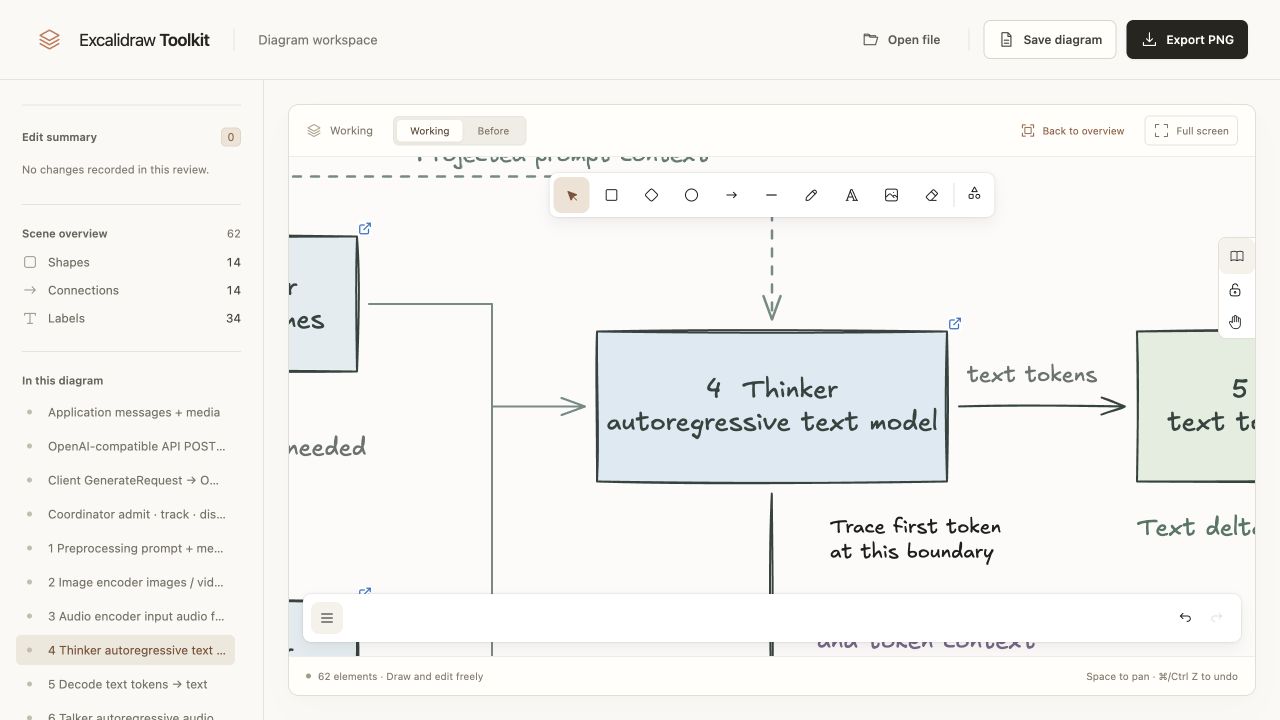
A real serving architecture with source links and a handwritten note. Keep the code within reach while you explore the diagram.
- Explain a change. Compare exact source revisions, with article, slide, and canvas export targets.
- Preserve manual work. Keep independent positions, labels, and notes. Surface overlapping edits as conflicts.
- Automate when configured. Run the same workflow from explicit CI triggers; publish PR updates through an opt-in publisher.
Source references do not prove runtime behavior or complete coverage. CI needs a configured agent workflow; publication needs trusted credentials and artifact hosting. Read the workflow documentation
Start with a diagram
you already care about.
Connect your agent. Make one careful change.
- Build and install the archive.
Use Node.js 24.15+ in the 24.x line (or 26+) and npm 12.0.2. The repository guide builds the pinned runtime and installs it in a stable location.
- Connect Claude Code or Codex.
Install the project skill and Chromium. For Codex, add the project-scoped MCP connection described in the guide.
- Ask for a scoped edit.
Start a new agent session with your saved
.excalidrawfile. Review the result before adopting it.
What is supported today?
Scoped color, label, move, add, connect, remove, and disconnect operations. Geometry support is deliberately bounded: supported unrotated shapes and straight, center-bound arrows. Unsupported edits fail explicitly instead of regenerating your drawing.
Claude Code and Codex were each validated on an isolated saved-file edit. Automated checks cover scene preservation, bindings, retries, and failure recovery. These checks validate concrete workflows within the documented operation limits. See the exact operation limits.
Made by Wenyao Gao. Built on Excalidraw. Independent and open source.